การทำงานบน MacBook ในที่สาธารณะเปลี่ยนไปตลอดกาล: เมื่อ Privacy Screen คือเกราะป้องกันข้อมูลสำคัญ
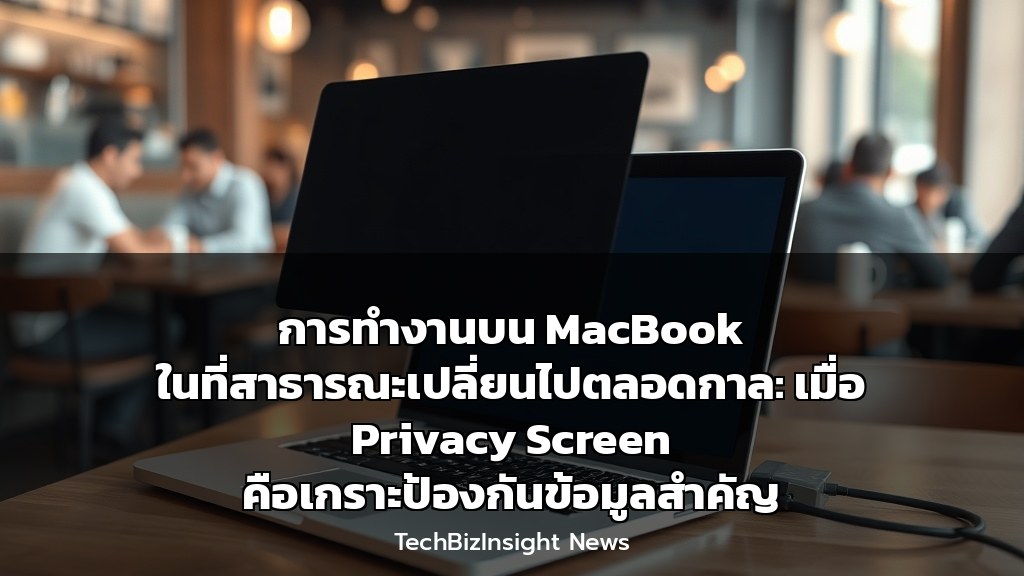
การทำงานบน MacBook ในที่สาธารณะเปลี่ยนไปตลอดกาล: เมื่อ Privacy Screen คือเกราะป้องกันข้อมูลสำคัญ
ในยุคที่การทำงานแบบไฮบริดและรีโมทกลายเป็นเรื่องปกติ การเปิดแล็ปท็อปทำงานในพื้นที่สาธารณะอย่างคาเฟ่ โคเวิร์คกิ้งสเปซ หรือสนามบิน กลายเป็นภาพที่คุ้นตา แต่น้อยคนนักจะตระหนักถึงภัยเงียบที่มองไม่เห็น: ‘Visual Hacking’ หรือการแอบดูหน้าจอเพื่อขโมยข้อมูล ซึ่งอาจนำไปสู่การรั่วไหลของความลับลูกค้าหรือข้อมูลภายในบริษัทที่ส่งผลกระทบทางธุรกิจร้ายแรง
บทความนี้จะเจาะลึกถึงโซลูชันที่เหนือกว่าความเป็นส่วนตัวทั่วไป โดยมุ่งเน้นผลกระทบทางธุรกิจของเทคโนโลยีนี้ โดยอ้างอิงจากรีวิวจาก ZDNET และผลิตภัณฑ์จาก Hyper และ Kensington
ผลกระทบทางธุรกิจของ Privacy Screen
- ลดความเสี่ยงด้านข้อมูล: ป้องกัน ‘Shoulder Surfing’ หรือการแอบดูจากบุคคลภายนอก โดยเฉพาะในพื้นที่แออัด ช่วยลดโอกาสเกิด Data Breach ที่อาจเสียค่าปรับตามกฎหมาย PDPA หรือ GDPR
- เพิ่มความมั่นใจในการทำงาน: พนักงานสามารถเปิดข้อมูลที่เป็นความลับหรือเซ็นสัญญาบนหน้าจอในที่สาธารณะได้อย่างสบายใจ ไม่ต้องกังวลเรื่องสายตาผู้อื่น
- เสริมภาพลักษณ์มืออาชีพ: การมีมาตรการรักษาความปลอดภัยด้านข้อมูลขั้นสูง แสดงถึงความรับผิดชอบต่อข้อมูลลูกค้าและพนักงาน สร้างความน่าเชื่อถือให้กับองค์กร
คุณสมบัติเด่นของโซลูชันจากตลาด
- HyperShield Magnetic Privacy Screen:
- ระบบติดตั้งแม่เหล็ก ที่ถอดเข้าออกได้ง่าย ไม่ต้องใช้กาว
- มองจากด้านข้างจะเห็นหน้าจอดำสนิท ป้องกันการมองเห็นโดยสมบูรณ์
- ใช้งานร่วมกับ Tool-less Cable Lock เพื่อป้องกันการขโมยตัวเครื่อง
- StarTech.com Privacy Screen (รีวิวโดย ZDNET):
- ใช้ฟิลเตอร์ทองสองชั้น (Double-sided gold filter) ที่แม้จะต้องปรับความสว่างเพิ่มเล็กน้อย แต่ให้ผลลัพธ์ในการบดบังหน้าจอจากทุกมุมได้ดีเยี่ยม
- ติดตั้งง่าย ตัดเข้ากับรอยบากของกล้องหน้าได้พอดี
- รองรับ MacBook Pro 14 และ 16 นิ้ว และยังสามารถใช้กับโน๊ตบุ๊คขนาดใกล้เคียงได้
- Kensington Ultrathin Magnetic Privacy Screen:
- ออกแบบมาเฉพาะสำหรับ MacBook รุ่นใหม่ ใช้ระบบแม่เหล็กเช่นกัน
- เป็นแบรนด์ที่มีชื่อเสียงด้านความปลอดภัยทางกายภาพ
วิธีการป้องกันเชิงลึก (แนวทางปฏิบัติสำหรับองค์กรและบุคคล)
- สำหรับบุคคลทั่วไป:
- เลือก Privacy Screen คุณภาพสูง เช่น แบบแม่เหล็ก เพื่อติดตั้งและถอดออกได้สะดวก
- ปรับความสว่างหน้าจอให้เหมาะสม (อาจต้องเพิ่มขึ้นเล็กน้อย)
- จับตำแหน่งนั่งให้หันหน้าจอเข้าหากำแพงหรือห่างจากทางเดิน
- สำหรับองค์กร/ธุรกิจ (IT Policy):
- กำหนดนโยบาย: ระบุว่าพนักงานต้องใช้ Privacy Screen ขณะทำงานนอกสถานที่
- จัดหาอุปกรณ์: ลงทุนซื้อ Privacy Screen และ Cable Lock ให้กับพนักงานทุกคนที่ทำงานกับข้อมูลสำคัญ
- อบรมพนักงาน: สร้างความตระหนักถึงภัย ‘Visual Hacking’ และวิธีการใช้งานอุปกรณ์ป้องกันอย่างถูกต้อง
- สำหรับนักเดินทางเพื่อธุรกิจ:
- ใช้ Privacy Screen ร่วมกับ Cable Lock เพื่อป้องกันทั้งการแอบดูและการขโมยตัวเครื่อง
- ระวังพื้นที่ที่มีคนหนาแน่น เช่น Airport Lounge หรือห้องรอขึ้นเครื่อง
Full English Translation
Working on a MacBook in public is forever changed: When a Privacy Screen is the shield for critical data. In the era of hybrid and remote work, opening a laptop in public spaces like cafes, co-working spaces, or airports is a common sight. However, few realize the invisible threat: ‘Visual Hacking’ or shoulder surfing to steal data, which can lead to the leakage of client secrets or internal company data with severe business repercussions.
This article delves into solutions that go beyond basic privacy, focusing on the business impact of this technology, citing reviews from ZDNET and products from Hyper and Kensington.
Business Impact of Privacy Screens
– Reduces Data Risk: Prevents shoulder surfing, especially in crowded areas, reducing the chance of a Data Breach that could incur fines under laws like PDPA or GDPR.
– Boosts Work Confidence: Employees can open confidential data or sign contracts on screen in public without worry.
– Enhances Professional Image: Implementing advanced data security measures demonstrates responsibility towards client and employee data, building organizational credibility.
Key Features of Market Solutions
– HyperShield Magnetic Privacy Screen: Easy magnetic installation (no adhesive), completely blacks out the screen from the side, works with Tool-less Cable Lock.
– StarTech.com Privacy Screen (ZDNET reviewed): Uses a double-sided gold filter; requires slightly higher brightness but offers excellent screen obscuration from all angles. Easy to install, fits the MacBook notch perfectly. Works on 14″ and 16″ MacBook Pros and similarly sized laptops.
– Kensington Ultrathin Magnetic Privacy Screen: Specifically designed for newer MacBooks using a magnetic system. A well-known brand in physical security.
In-depth Prevention Methods (Best Practices)
– For Individuals: Choose high-quality privacy screens (e.g., magnetic), adjust screen brightness, position your back to a wall.
– For Organizations/IT Policy: Mandate privacy screen use for remote work, provide devices and cable locks, train staff on visual hacking risks.
– For Business Travelers: Use a privacy screen with a cable lock. Be cautious in crowded areas like airport lounges.
Citation
- ZDNET Review of StarTech.com MacBook Pro Privacy Screen: https://www.zdnet.com/home-and-office/startech-macbook-pro-privacy-screen-review