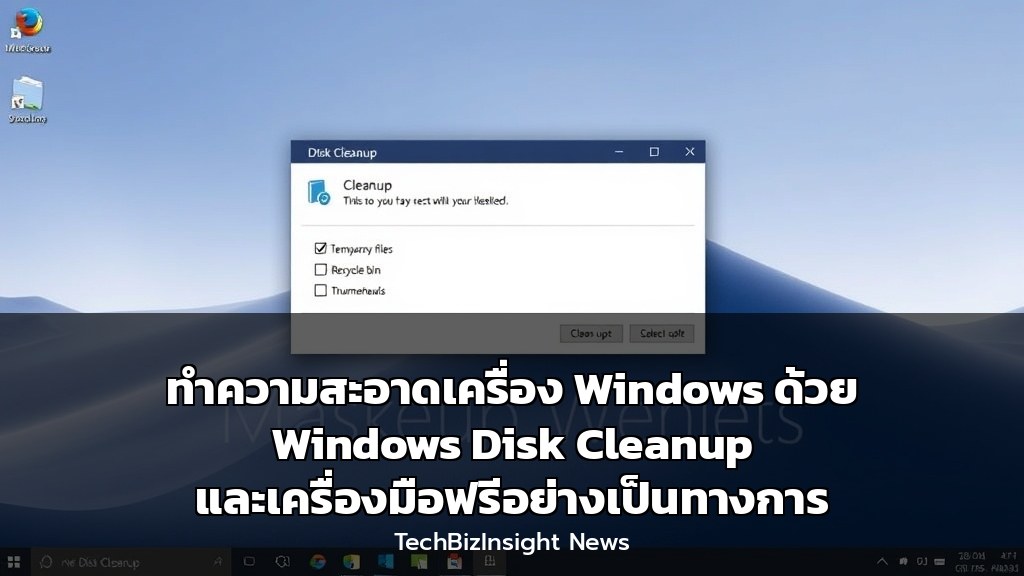
ทำความสะอาดเครื่อง Windows ด้วย Windows Disk Cleanup และเครื่องมือฟรีอย่างเป็นทางการ
ภาษาไทย (Thai Intro)
คุณเคยสงสัยไหมว่าแอปใดดีที่สุดในการทำความสะอาดเครื่อง Windows? บทความนี้รวบรวมเครื่องมือฟรีจากไมโครซอฟต์และโอเพนซอร์สที่ช่วยล้างขยะ ปกป้องความเป็นส่วนตัว และเพิ่มประสิทธิภาพระบบ โดย Windows Disk Cleanup ในตัวเครื่องมือฟรีอย่างเป็นทางการจาก Microsoft PC Manager และ BleachBit ทางเลือกโอเพนซอร์ส ล้วนเป็นตัวเลือกยอดนิยมสำหรับผู้ใช้ทั่วไปและมืออาชีพ
การวิเคราะห์เชิงลึกด้านเทคโนโลยี (Deep Thai Analysis)
-
ผลกระทบทางธุรกิจ: เครื่องมือทำความสะอาดพีซีฟรีช่วยธุรกิจขนาดเล็กลดต้นทุนซอฟต์แวร์และเพิ่มประสิทธิภาพพนักงาน โดยไม่ต้องลงทุนในซอฟต์แวร์ราคาแพง การใช้เครื่องมืออย่างเป็นทางการจากไมโครซอฟต์ช่วยลดความเสี่ยงด้านความปลอดภัยและเพิ่มความน่าเชื่อถือของระบบ
-
กลยุทธ์สำหรับองค์กร: ผู้ดูแลระบบ IT สามารถใช้ Microsoft PC Manager ซึ่งรวมฟังก์ชันการล้างข้อมูล การจัดการพื้นที่จัดเก็บ และการเพิ่มประสิทธิภาพในแดชบอร์ดเดียว ช่วยลดภาระการดูแลระบบแบบกระจายศูนย์และเพิ่มประสิทธิภาพการทำงานของทีม
-
ข้อควรระวัง: แม้เครื่องมือฟรีจะมีประสิทธิภาพ แต่ควรตรวจสอบความโปร่งใสของนโยบายความเป็นส่วนตัวและหลีกเลี่ยงเครื่องมือที่อาจแอบติดตั้งโปรแกรมที่ไม่พึงประสงค์ โดยเฉพาะ BleachBit ซึ่งเป็นโอเพนซอร์ส ควรดาวน์โหลดจากแหล่งที่เชื่อถือได้เท่านั้น
ข้อดีและข้อเสียของเครื่องมือทำความสะอาดพีซีฟรี
Windows Disk Cleanup
- ข้อดี: ติดตั้งมากับ Windows ไม่ต้องดาวน์โหลดเพิ่ม และสามารถล้างไฟล์ระบบลึกได้
- ข้อเสีย: ฟังก์ชันจำกัดและอินเทอร์เฟซที่เรียบง่าย ไม่มีเครื่องมือเพิ่มประสิทธิภาพหรือความเป็นส่วนตัว
Microsoft PC Manager
- ข้อดี: ฟรี เป็นทางการจากไมโครซอฟต์ รวมฟังก์ชันการทำความสะอาด การจัดการพื้นที่จัดเก็บ และการเพิ่มประสิทธิภาพในที่เดียว
- ข้อเสีย: ฟังก์ชันการเพิ่มประสิทธิภาพมีผลกระทบน้อยและไม่มีการตั้งค่าเฉพาะทางขั้นสูง
BleachBit
- ข้อดี: โอเพนซอร์ส ฟรี 100% และมีฟังก์ชันลบไฟล์อย่างถาวร (file shredder)
- ข้อเสีย: อินเทอร์เฟซอาจซับซ้อนสำหรับผู้ใช้ทั่วไป และต้องตรวจสอบรายการไฟล์ก่อนลบด้วยตนเอง
อัปเดตเทรนด์เทคโนโลยีล่าสุดก่อนใครที่ TechBizInsight.com นะคะ
คำถามที่พบบ่อย (FAQ)
Full English Translation
Have you ever wondered which app is best for cleaning your Windows PC? This article compiles free tools from Microsoft and open source that help remove junk, protect privacy, and improve system performance. The built-in Windows Disk Cleanup, the official free Microsoft PC Manager, and the open-source alternative BleachBit are all popular options for general users and professionals.
Deep Technology Analysis
- Business Impact: Free PC cleaning tools help small businesses reduce software costs and improve employee productivity without investing in expensive software. Using official Microsoft tools reduces security risks and increases system reliability.
- Enterprise Strategy: IT administrators can use Microsoft PC Manager, which integrates cleanup, storage management, and performance optimization into a single dashboard, reducing decentralized system management overhead and improving team efficiency.
- Caveats: Although free tools are effective, users should verify privacy policy transparency and avoid tools that may stealthily install unwanted programs. For BleachBit, being open source, it should only be downloaded from trusted sources.
Pros and Cons of Free PC Cleaning Tools
Windows Disk Cleanup
- Pros: Built into Windows, no need to download, and can deep clean system files.
- Cons: Limited functionality and simple interface, lacking optimization or privacy tools.
Microsoft PC Manager
- Pros: Free, official from Microsoft, integrates cleanup, storage management, and optimization in one place.
- Cons: Optimization features have minimal impact and lack advanced customization options.
BleachBit
- Pros: Open source, 100% free, and includes a file shredder for permanent deletion.
- Cons: Interface may be complex for general users, and requires manual review of file lists before deletion.
Stay ahead with the latest tech trends at TechBizInsight.com.